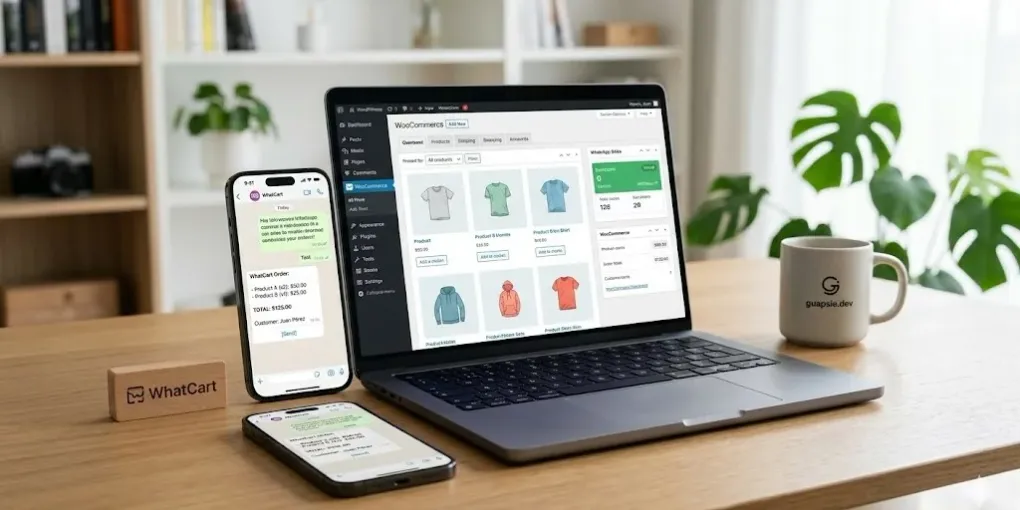
Add a Lightweight WhatsApp Button to Any WooCommerce Page in 5 Minutes — WhatCart Pro
Every day, potential customers land on WooCommerce stores, browse a product, and leave — not because they weren’t interested, but because they had a question nobody answered.
Not a complicated question. Something like:
“Does this come in XL?"
"How long is shipping to my country?"
"Can I get a discount if I buy three?”
They won’t fill out your contact form. They won’t send an email and wait 48 hours. They’ll just close the tab and buy from someone else.
WhatsApp is where your customers already are. Over 2 billion people use it daily. Adding a WhatsApp button to your WooCommerce store is not a gimmick — it’s plugging a hole your store has right now.
But not all WhatsApp plugins are built the same.
The Problem With Most WhatsApp Plugins for WooCommerce
Search for “WooCommerce WhatsApp plugin” and you’ll find dozens of options. Most of them share the same problems:
- They’re bloated. You want a button. You get a CRM, an automation suite, an OTP verification system, and three subscription tiers.
- They’re expensive for what they do. Monthly fees for a floating icon? Really?
- They’re rigid. Stuck on product pages, or hardcoded to the footer. No flexibility for custom post types, landing pages, or campaigns.
- Setup takes forever. Staff accounts, availability schedules, chat bubbles, QR codes… you just wanted a button.
If any of this sounds familiar, keep reading.
Introducing WhatCart Pro: The WhatsApp Button That Actually Fits Your Store
WhatCart Pro does one thing, and it does it right: it adds a clean, fast WhatsApp contact button to your WooCommerce store — exactly where you need it, without the bloat you don’t.
Works Anywhere, Not Just Product Pages
This is the detail that sets WhatCart Pro apart.
Most WhatsApp plugins are designed exclusively for product pages. WhatCart Pro works on any page, post, or custom post type in WordPress. That means:
- Your WooCommerce product pages ✓
- Your blog posts ✓
- Your landing pages ✓
- Your custom post types (portfolios, listings, services) ✓
One plugin. Your entire site.
Clean, Fast, Zero Friction
No heavy scripts. No external dependencies. No dashboard that requires a tutorial to understand.
You add your WhatsApp number. You customize the button label and position. Done. It takes under five minutes.
Pricing: Simple and Transparent
WhatCart Pro comes in three tiers — pick what fits your situation:
| Plan | Price | Sites | Includes |
|---|---|---|---|
| Personal | $29.99 / year | 1 site | Updates + Support |
| Pro | $89.99 / year | 5 sites | Updates + Support |
| Lifetime | $199.99 one-time | Unlimited | Updates + Support forever |
No hidden fees. No feature lockouts between tiers. Every plan includes full updates and dedicated support.
If you’re managing a single store, Personal is all you need. Running multiple client sites? Lifetime pays for itself in under three years.
Who Is WhatCart Pro For?
Small and medium WooCommerce stores that use WhatsApp as a natural part of their sales process. If you’ve ever told a customer “just message me on WhatsApp”, this plugin was made for you.
Store owners in Latin America, Southern Europe, the Middle East, and Southeast Asia — where WhatsApp isn’t just a messaging app, it’s the primary channel for doing business. Your customers expect it.
Freelancers and agencies managing multiple client sites. The Pro and Lifetime plans cover you across all your projects without paying per site.
Anyone who’s tried other plugins and found them overkill. Sometimes you don’t need automation, chatbots, and campaign management. Sometimes you just need a button.
What Happens When You Add a WhatsApp Button?
Here’s what store owners consistently report after adding WhatsApp contact to their WooCommerce stores:
- Fewer abandoned carts caused by unanswered pre-purchase questions
- Higher conversion rates on products that need a bit of explanation
- Faster purchase decisions — customers get a real answer in minutes, not days
- A more personal buying experience that builds loyalty and repeat purchases
The math is simple: lower friction between interest and purchase means more sales.
Why Not Just Use a Free Plugin?
You can. Free options exist, and some of them work reasonably well for basic use cases.
But here’s what you typically give up:
| Feature | Free Plugins | WhatCart Pro |
|---|---|---|
| Works on any page/post/CPT | ✗ | ✓ |
| Transparent, predictable pricing | Rarely | ✓ Always |
| Lightweight & fast | Varies | ✓ |
| Simple setup under 5 min | Rarely | ✓ |
| Dedicated support | ✗ | ✓ |
Free plugins also tend to monetize through upsells, feature limits, and eventually pushing you toward a paid plan. With WhatCart Pro, you know exactly what you’re paying and what you get.
Get WhatCart Pro
From $29.99/year — or $199.99 for lifetime access.
→ See Plans & Get WhatCart Pro
Not sure yet? The live demo is available on the product page. See exactly how it looks and behaves before you buy.
Frequently Asked Questions
Does WhatCart Pro work with variable products?
Yes. The button works on all WooCommerce product types.
Can I customize the button text and color?
Yes. You can adjust the label, position, and styling to match your store’s design.
Does it work with page builders like Elementor or Gutenberg?
Yes. Because it supports shortcodes and works on any post type, it integrates cleanly with major page builders.
What if I need help with setup?
Full documentation is available at guapsie.dev/docs/whatcart-pro, and support is available via the contact page.
Can I upgrade my plan later?
Yes. You can start with Personal and upgrade to Pro or Lifetime at any time.
WhatCart Pro is developed by guapsie.dev — a focused WordPress tools studio building fast, no-nonsense plugins for real store owners.